Mega Man 8-Bit Deathmatch Forum
Showing Results For:
ROCKS!!!

June. 2, 2024, 1:44 AM
MAKESHIFT LINEDEF PORTALS: HOW TO DO THEM
Have you ever seen some maps outside of mm8bdm that have these fancy portals? so you see them and try to re-create them in mm8bdm, but it isn't working, so here's a guide on how to have a makeshift linedef portal to help whatever teleporting needs you may need.
Setting it up
The first thing you wanna do is create two identical sectors in height and width, which makes it so the user doesnt go out of bounds, then you need to put a line infront of the sector, now once that is done you will need to make 2 camera textures the same size of the linedef, and set it as a middle texture
Now after you do that, add a Zheight teleporter (type 9044), Aiming camera (type 9073), and a Actor enters sector (type 9998), now you want to set it up like seen in the image in the second spoiler here.
Scripts
A headache to set up, but totally worth it.
You will now want to open up the script editor part of UBD, now heres where you set it up.
(Always make sure to type #include "zcommon.acs" at the top) First we will be doing the camera texture scripts for our "Portals", you want to set it up like the text seen below:
script X OPEN {
SetCameraToTexture( CAMERAIDHERE, "CAMERATEXTURE",FOV );
}
script X OPEN {
SetCameraToTexture( CAMERAIDHERE, "CAMERATEXTURE", FOV );
}
A bit confusing but what you want to do is put the ID of the camera actor, lets say "1", and the name of the cameratexture you made will be "PORTALCAM", and the FOV will be 90, and the other camera you want to set up would be the exact same but with a different ID and name like "2" for the camera id, and "PORTALCAM2" for the camera texture, now you would get something like:
( 1, "PORTALCAM", 90)
( 2, "PORTALCAM2", 90)
Image example:
TeleportGroup
So after setting up the cameratextures, your now going to need to use "TeleportGroup" function, which you should set it up like this:
Script X OPEN
{
TeleportGroup(0, SOURCEID, TELEPORTDEST, 0, 0);
}
Script X OPEN
{
TeleportGroup(0, SOURCEID, TELEPORTDEST, 0, 0);
}
What you want to do is replace SOURCEID with the ID of the ActorEntersSector Thing on one side, and then you replace the TELEPORTDEST with the ID of the ZHeight teleport, think of this as a teleporter but a bit more complex, which you then go to Action/Tag/Misc for the ActorEntersSector, then put the action number as 226, and the script number where the ID is and you only have to apply it to the ActorEntersSector things now you want to do the same for the other scripts and things, for a better Idea see the images below:
Other things
When making the portals never have one rotated differently then the other, or having one portal smaller then the other portal.
Examples:
If you want projectiles to cross as well make sure to check the "Projectiles activate" box for the ActorEntersSector thing.
Thanks for reading, and i hope this helped in whatever crazy maps you're making!
Setting it up
The first thing you wanna do is create two identical sectors in height and width, which makes it so the user doesnt go out of bounds, then you need to put a line infront of the sector, now once that is done you will need to make 2 camera textures the same size of the linedef, and set it as a middle texture
Now after you do that, add a Zheight teleporter (type 9044), Aiming camera (type 9073), and a Actor enters sector (type 9998), now you want to set it up like seen in the image in the second spoiler here.

Scripts
A headache to set up, but totally worth it.
You will now want to open up the script editor part of UBD, now heres where you set it up.
(Always make sure to type #include "zcommon.acs" at the top) First we will be doing the camera texture scripts for our "Portals", you want to set it up like the text seen below:
script X OPEN {
SetCameraToTexture( CAMERAIDHERE, "CAMERATEXTURE",FOV );
}
script X OPEN {
SetCameraToTexture( CAMERAIDHERE, "CAMERATEXTURE", FOV );
}
A bit confusing but what you want to do is put the ID of the camera actor, lets say "1", and the name of the cameratexture you made will be "PORTALCAM", and the FOV will be 90, and the other camera you want to set up would be the exact same but with a different ID and name like "2" for the camera id, and "PORTALCAM2" for the camera texture, now you would get something like:
( 1, "PORTALCAM", 90)
( 2, "PORTALCAM2", 90)
Image example:

TeleportGroup
So after setting up the cameratextures, your now going to need to use "TeleportGroup" function, which you should set it up like this:
Script X OPEN
{
TeleportGroup(0, SOURCEID, TELEPORTDEST, 0, 0);
}
Script X OPEN
{
TeleportGroup(0, SOURCEID, TELEPORTDEST, 0, 0);
}
What you want to do is replace SOURCEID with the ID of the ActorEntersSector Thing on one side, and then you replace the TELEPORTDEST with the ID of the ZHeight teleport, think of this as a teleporter but a bit more complex, which you then go to Action/Tag/Misc for the ActorEntersSector, then put the action number as 226, and the script number where the ID is and you only have to apply it to the ActorEntersSector things now you want to do the same for the other scripts and things, for a better Idea see the images below:


Other things
When making the portals never have one rotated differently then the other, or having one portal smaller then the other portal.
Examples:


If you want projectiles to cross as well make sure to check the "Projectiles activate" box for the ActorEntersSector thing.
Thanks for reading, and i hope this helped in whatever crazy maps you're making!

⠀⠀⠀⠀⠀⠀Check out my works:
⠀⠀⠀⠀youtube.com/@SparkBruh
June. 2, 2024, 1:42 AM (Edited by Spark)
Which male Robot Master/Character is the hottest?

Bro Scissors you are so funny man.
Damn, Trill really reset his PFP. rofl

Sprites/Graphc Artists of MM8BDM.
https://www.spriters-resource.com/submitter/hansungkee/
https://www.deviantart.com/hansungkee


Sprites/Graphc Artists of MM8BDM.
https://www.spriters-resource.com/submitter/hansungkee/
https://www.deviantart.com/hansungkee
June. 2, 2024, 1:17 AM
Séafra's Emporium of Stuff
Uhh... There's Missed Tree on Shade Man.

🔥🔥🔥🔥🔥
June. 2, 2024, 1:12 AM
Which male Robot Master/Character is the hottest?
Hard man ofc... he's always so Hard
⠀⠀⠀⠀⠀⠀Check out my works:
⠀⠀⠀⠀youtube.com/@SparkBruh
June. 2, 2024, 1:11 AM
A New Look

Splendid work Trill.
⠀⠀⠀⠀⠀⠀Check out my works:
⠀⠀⠀⠀youtube.com/@SparkBruh
June. 2, 2024, 1:02 AM
Which male Robot Master/Character is the hottest?

Sprites/Graphc Artists of MM8BDM.
https://www.spriters-resource.com/submitter/hansungkee/
https://www.deviantart.com/hansungkee
Sprites/Graphc Artists of MM8BDM.
https://www.spriters-resource.com/submitter/hansungkee/
https://www.deviantart.com/hansungkee
June. 2, 2024, 12:50 AM
Mega Man X1 Classes (TheBlade's Version)
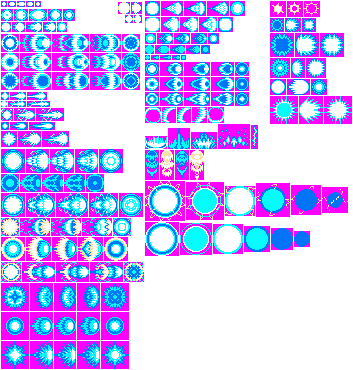
X-Buster/Z-Buster Shot by Hansungkee
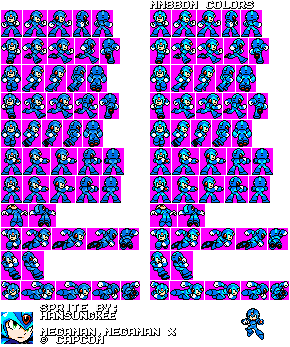
X by Hansungkee
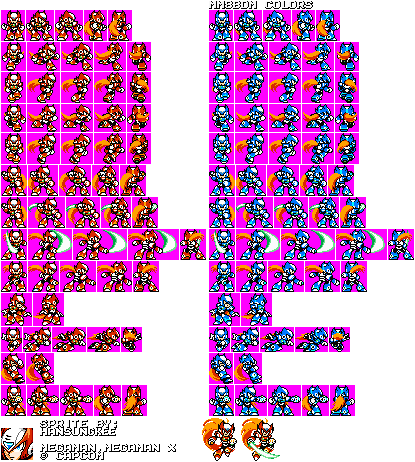
Zero by hansungkee
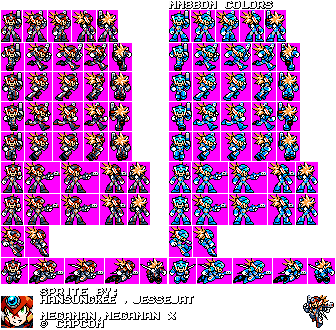
Axl by Hansungkee and JAT
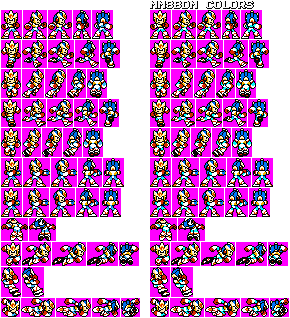
Second Armor X By hansungkee and Universal Foxes
X by Hansungkee
Zero by hansungkee
Axl by Hansungkee and JAT
Second Armor X By hansungkee and Universal Foxes
Sprites/Graphc Artists of MM8BDM.
https://www.spriters-resource.com/submitter/hansungkee/
https://www.deviantart.com/hansungkee
Sprites/Graphc Artists of MM8BDM.
https://www.spriters-resource.com/submitter/hansungkee/
https://www.deviantart.com/hansungkee
June. 2, 2024, 12:45 AM
Mega Man X1 Classes (TheBlade's Version)
Chill Penguin skin was Finished by dimpsuu.